Your ARC review team
ARC Readers is where you run advance review copies: who applied, who you approved, who opened their copy, and who posted a review. Your team is a list you already have, so a reviewer's name, answers, tags and consent stay where they always were. Penomaly never holds the book file. Your copy stays on BookFunnel, StoryOrigin or BookSprout, and Penomaly hands over the link.
Rounds
A round is one book's ARC run: its team list, how many spots, how readers are approved, the download links, which stores you are asking for reviews on, and the review due date. You can run more than one round of a book, such as an ebook round and an audiobook round.
A new round is filled in from your last one, so your habits carry over from book to book. The download links do not carry over, because they point at the last book's file. If you leave the due date empty, it is set to the release date plus 7 days: Amazon does not take customer reviews before a book is out.
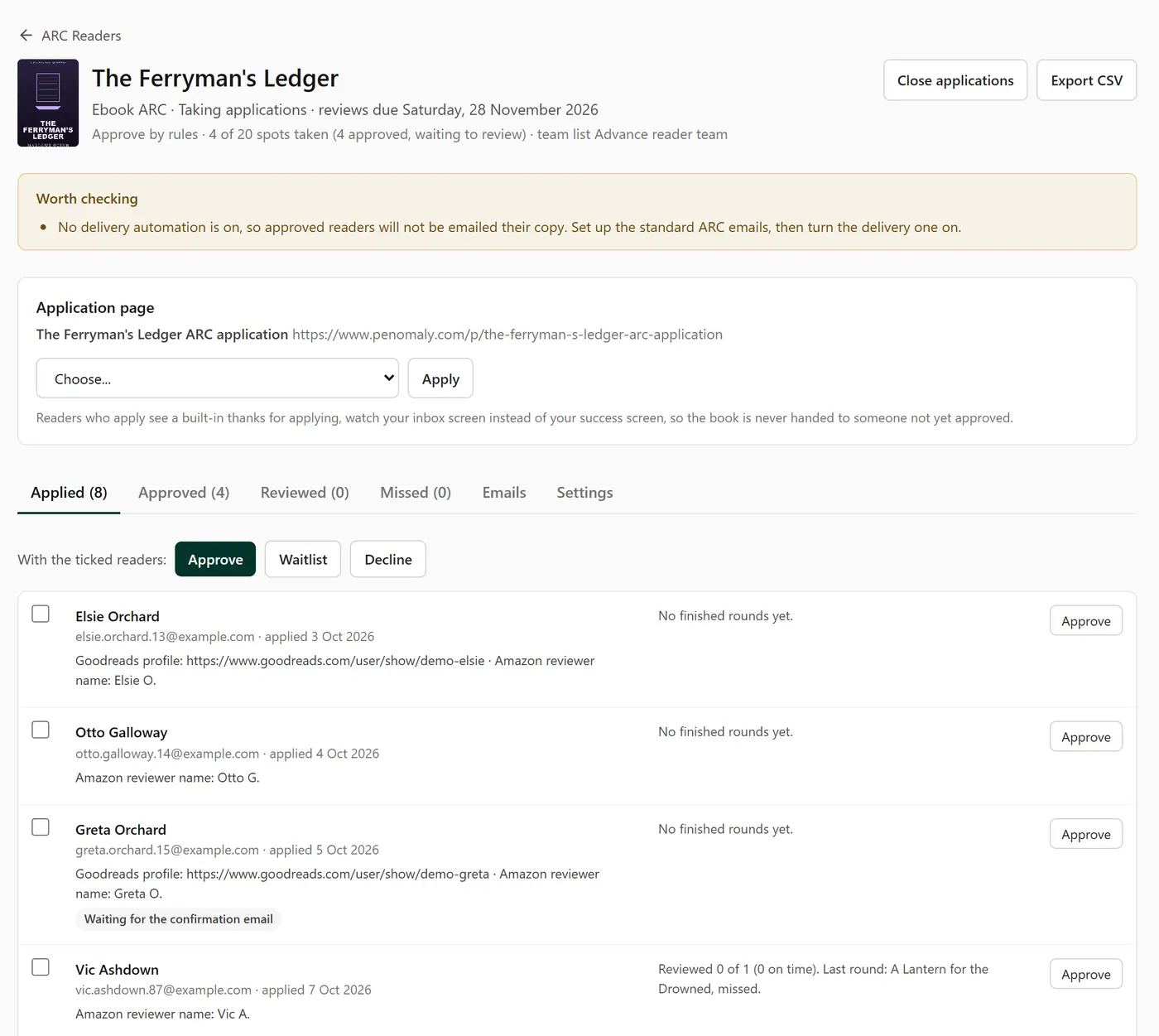
A round starts as not open yet. Press Open applications when it is ready. Penomaly will not open a round with no team list, no download link, or a due date before release, and it tells you about anything else worth checking, such as a page that is not published yet or no delivery email switched on.
Applications
Attach a landing page to the round, or let the round make one from the ARC team application template. Anyone who signs up through that page applies to the round. A page points at one round at a time: for the next book, point the same page at the new round and its address keeps working.
If the team list asks readers to confirm by email, their application waits until they click the link, because until then you could not email them their copy anyway.
You can also add a reader by hand, for the one who emailed asking to join. They need to be one of your readers already.
Approving
Each round has one of three ways to approve readers:
- Approve everyone. Every confirmed applicant is approved until the spots are full.
- Approve by rules. Your rules decide, and anyone they do not settle waits for you. This is the default.
- I approve each one. Every applicant waits for you.
The rules, in the order they are checked: hold for you anyone you have removed from a team before; hold for you anyone who missed their last review; approve anyone who reviewed at least a number of their last few rounds; and what to do with readers new to your teams, and with everyone else. "Hold" means the reader waits for you. A missed review is sometimes a reminder that went to spam, so the rules never decline someone for it.
When the spots are full, new applicants go on a waitlist instead of being turned away, and their page tells them so. You can approve someone from the waitlist when a place frees up.
Declining sends nothing, unless you build an automation that starts on A reader is declined for an ARC round.
What the reader gets
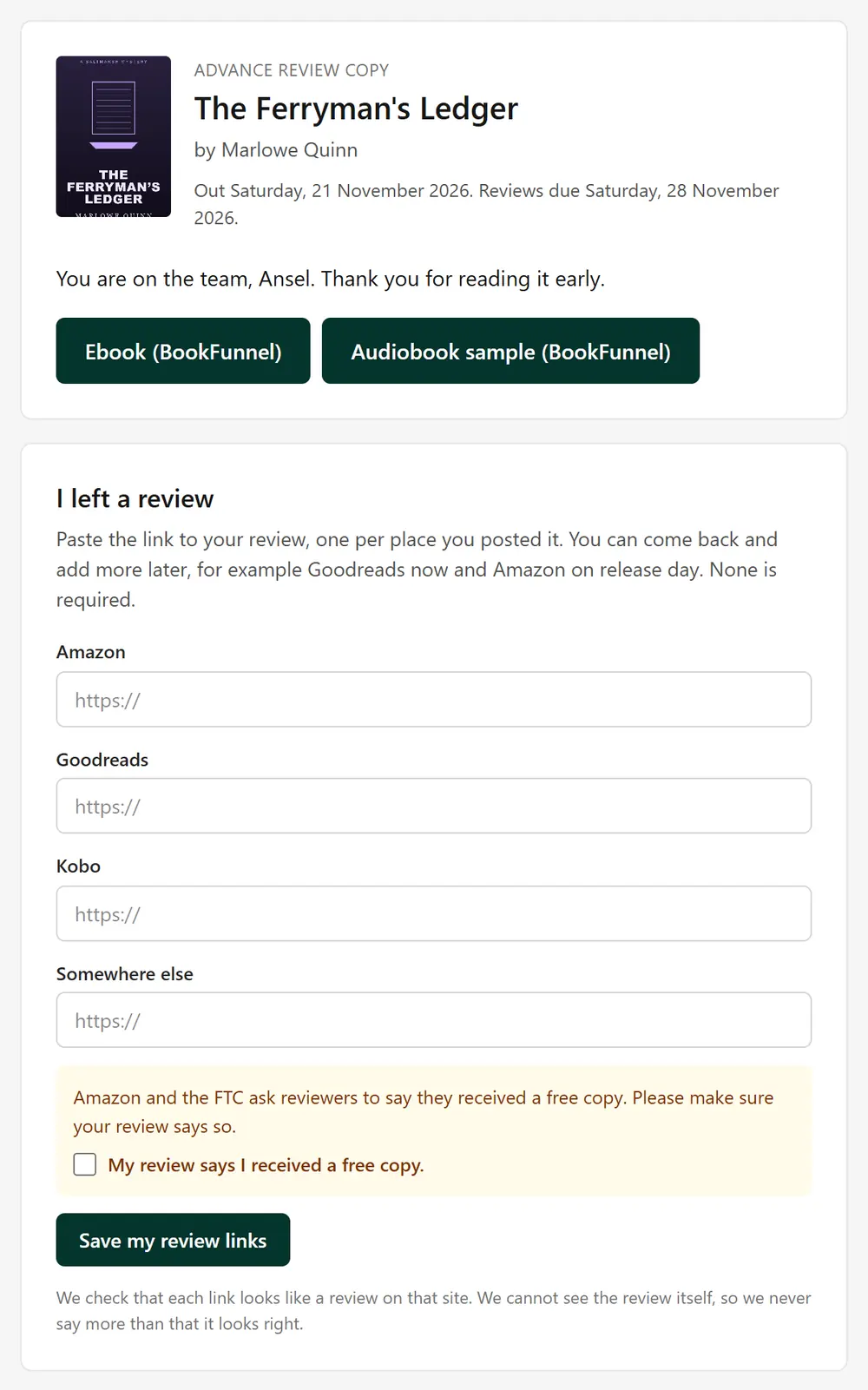
Approval is the delivery. The moment a reader is approved, your delivery email goes out with their download buttons. Every reader also has a private page of their own, with the download buttons, a form to tell you about their review, and a way to leave the team. If they lose the email, the page is still there.
Before a reader is approved, the page they signed up on never shows the book. On a round that approves everyone, your own success screen shows while there are spots left. On any other round, readers see a built-in screen that thanks them for applying and tells them to watch their inbox.
Penomaly can tell you a reader opened the download link. It cannot see inside BookFunnel or the others, so it never says they downloaded the book.
Reviews
On their page the reader pastes the link to each review they posted, one per store. None is required, Amazon included, because Amazon only lets customers who have spent with it recently post a review. They can come back and add more later.
Right above the button the page says: "Amazon and the FTC ask reviewers to say they received a free copy. Please make sure your review says so." The reader must tick My review says I received a free copy before the links save.
Penomaly checks the shape of each link and nothing more. It never visits the review. It says Looks right when a link is a review on that store for this book, Could not check when it cannot tell, and warns the reader before saving when a link looks like the book's own page or a different book, which is the most common mistake. It never says a review was verified, because it cannot know.
A reader who has not reported a review by the due date plus your days of grace (14 unless you change it) is marked missed. A review after that still counts as reviewed, and late.
Reliability
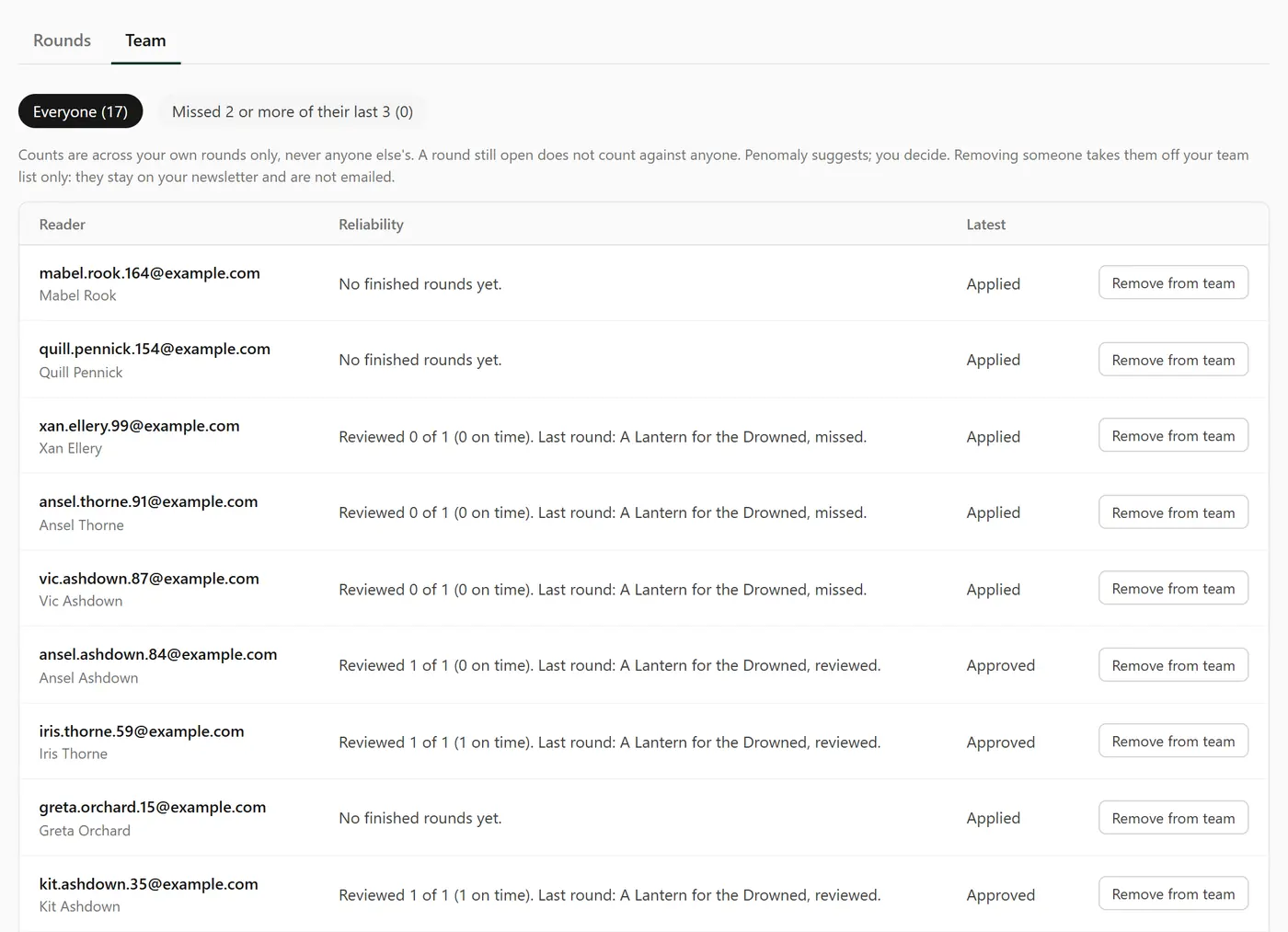
Every ARC screen shows each reader's record on your rounds as plain counts, such as "Reviewed 4 of 5 (3 on time)". A round still open does not count against anyone. It is never a single score, it never includes what the review said, and it is never shared with another author.
The Team tab can show everyone who missed 2 or more of their last 3 rounds. Penomaly suggests; you decide. Remove from team takes them off your team list only. They stay on your newsletter and get no email.
The emails
ARC emails are automations you own. On a round's Emails tab, Set up the standard ARC emails creates three, as drafts, for any round: the delivery email, a release day reminder for readers who have not reviewed yet, and a thank you. A last nudge for missed reviews is one more button. Read them, change the words if you like, and turn each one on. Built once, they work for every book, and a reader gets each one once per round.
In an email that an ARC trigger starts you can use {{arc_download}} for the download buttons, {{arc_page}} for the reader's own page, {{arc_due}} for the due date and {{arc_book}} for the title. A condition can also ask whether the reader has submitted an ARC review.
What is not allowed
Amazon allows advance review copies, and bans anything that makes a review depend on what it says. So, with Penomaly or anywhere else:
- Never ask only the readers who liked the book to review it, or send unhappy readers somewhere else. That is review gating. The automation builder can build a branch on anything you know about a reader, and Penomaly cannot tell a gate from a fair branch, so this one is on you.
- Never reward a review: no prize draw, gift card, signed copy or free next book for posting one.
- Never swap reviews with another author.
- Never ask for a star rating, or a positive review. Ask for an honest one. Penomaly never asks readers for a rating and has nowhere to store one.
Family and close friends cannot review on Amazon either, and Amazon removes reviews it links to a personal relationship.
This is not legal advice. Read Amazon's Community Guidelines and the FTC's guidance on endorsements and reviews for yourself.
Keeping and deleting
A reader's ARC history is part of their record with you. It is kept until you delete the reader, or they ask to be erased, not on the 12 month clock that applies to opens and clicks. A reader who unsubscribes from everything leaves every team. The Download ARC history button on ARC Readers, and the one on each reader's page, include your private notes, because a reader's request for a copy of their data covers them.