Automations
An automation sends emails on its own when something happens to a reader: they join a list, you tag them, they sign up through one of your pages, or a date arrives. You build it once and it runs for every reader after that.
What starts one
- A reader joins a list. However they joined: a signup page, a form, the API, a connected service such as BookFunnel (coming soon), or you adding them by hand.
- A reader is tagged. By you on their page, by a signup page that adds a tag, or by another automation.
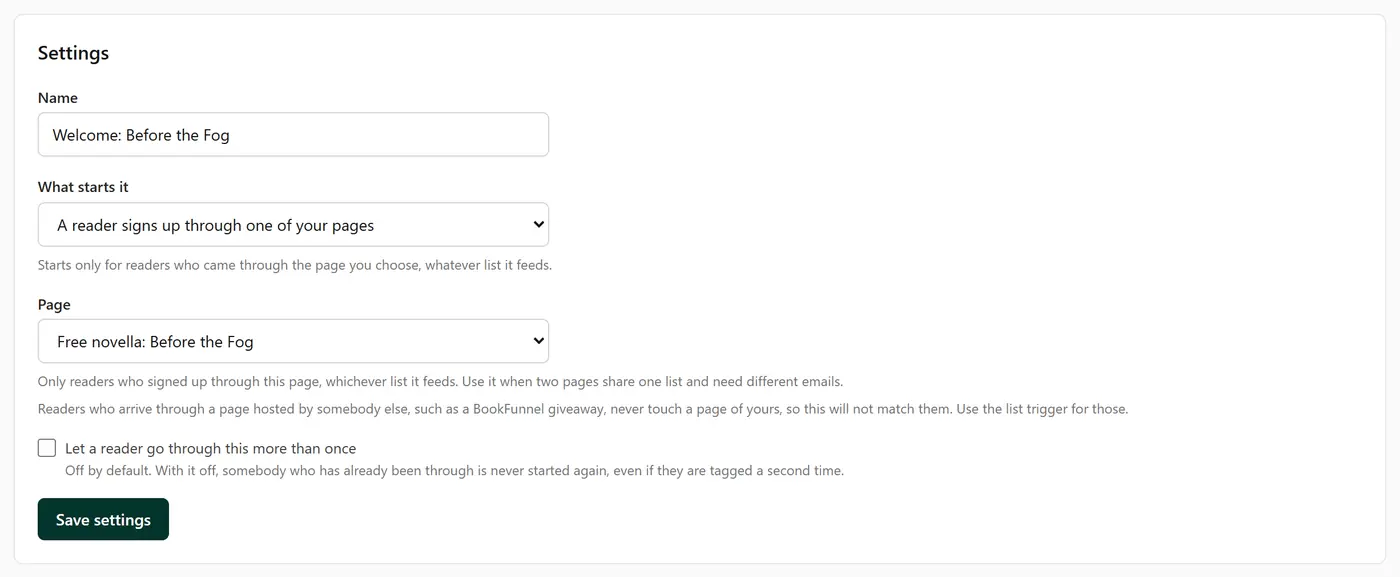
- A reader signs up through one of your pages. Only readers who came through the page you choose.
- A date arrives. Either everyone on a chosen list on one day, or each reader a year after a date you keep about them, such as a birthday.
- A reader clicks a link in a campaign. Any link in a campaign you sent, or one link in particular. Only links Penomaly counts can start one, so Amazon links do not, unless you have turned on tracking for them in Settings.
- A custom field changes. When one of your fields gets a new value, from a signup form, a connected service such as BookFunnel (coming soon), you, or another automation. You can narrow it to one value, such as a particular book title. Saving the same value again starts nothing.
Readers you import from a spreadsheet or move from another platform do not start automations unless you tick Start my automations for these readers on the import screen. It is off by default: when you are moving readers you already write to, a welcome email to thousands of them would be a surprise nobody wants. Tick it when you do want imported readers to get the flow.
When it starts
Pressing Activate does not send anything to readers who are already tagged or already on the list. The automation starts with the next reader who triggers it. The one exception is the date trigger for a whole list, which means everyone on that list on that day.
If a list asks new readers to confirm by email, the automation starts when the reader clicks the confirm link, not when they sign up.
How quickly it moves
Within about a minute of the trigger, the first steps run. A Wait holds the reader for as long as you set. Wait until a date holds everyone until a fixed moment in the timezone you choose, and a moment that has already passed means no wait at all.
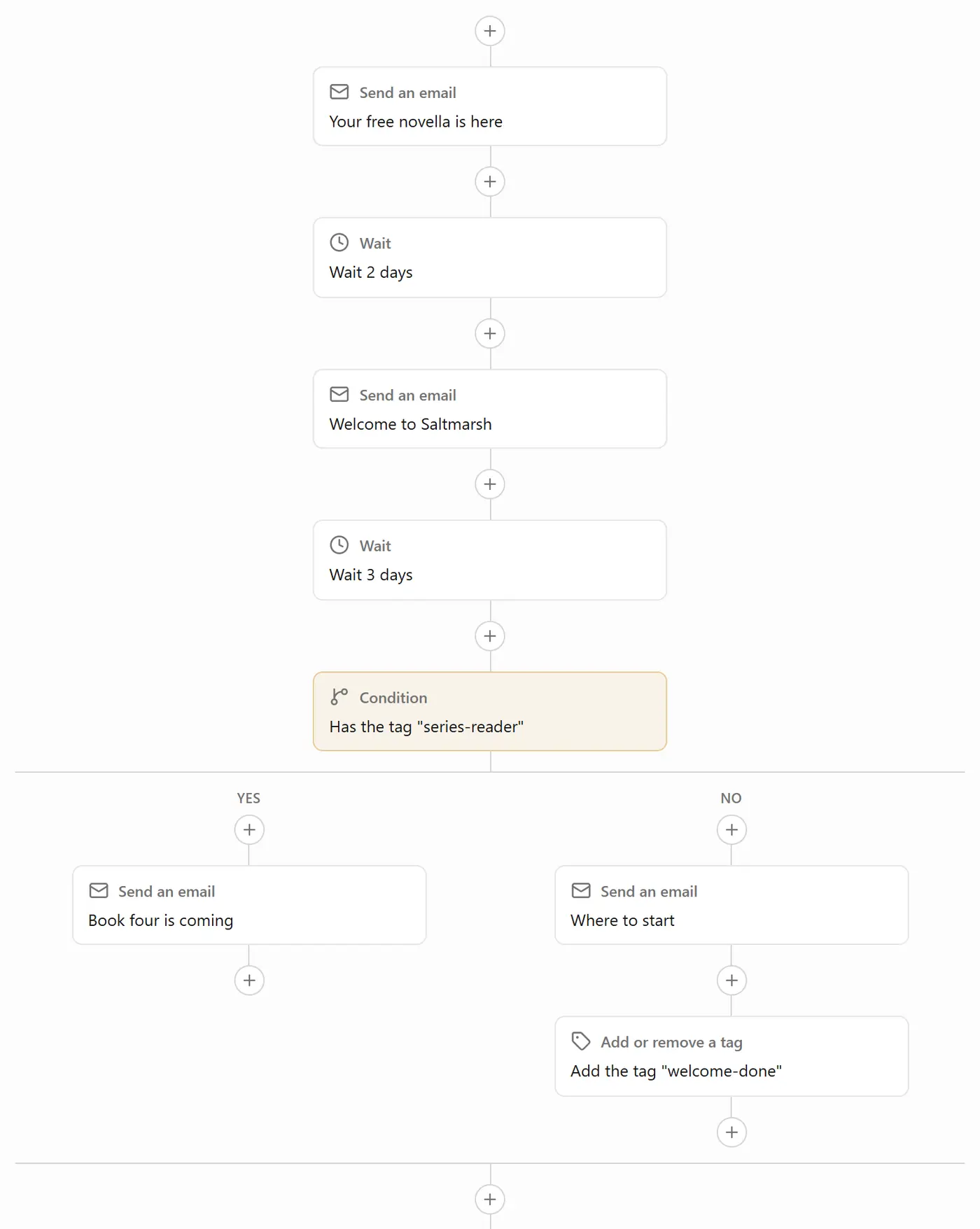
Date triggers start at midday UTC on the day, which is the same calendar date almost everywhere. If you want a particular hour, add a Wait until a date step after the trigger.
Changing an automation while readers are in it
You can edit it at any time. Readers part way through carry on from where they are, and an email you change goes out in its new form to everyone who reaches it afterwards. If you delete the step a reader is waiting at, that reader leaves the automation rather than skipping ahead to something you may not have meant them to get.
Pause holds everyone where they are. When you activate it again they carry on, and anyone whose wait finished in the meantime moves on straight away.
When a reader leaves early
A reader who unsubscribes, bounces or reports an email as spam leaves the automation and gets nothing further from it.
If your account cannot send for a while, for example because sending was paused after too many bounces, readers are held at their next email and it goes out once sending is back. Nobody is skipped.
Going through more than once
By default a reader goes through an automation once. Tick Let a reader go through this more than once if you want them to start again the next time the trigger happens, such as being tagged a second time. A reader is never started again while they are still part way through.
Anniversary automations repeat every year on their own.
On the free plan
You can build and activate automations, but they do not send until your account can send.