Cleaning your list
Readers who stopped opening your emails still count towards your plan and can drag down how well your emails reach inboxes. The Subscribers page lets you find them, tag them, unsubscribe them or delete them, a whole filtered group at a time.
Finding readers who have gone quiet
On the Subscribers page, the Opens filter has five choices:
- Any shows everyone.
- Not opened in 30 days, Not opened in 90 days and Not opened in 180 days show readers whose last open Penomaly recorded is older than that.
- No opens recorded yet shows readers Penomaly has never seen open an email.
Press Apply to filter and Clear to reset every filter. The Last opened column shows each reader's latest open, or None recorded.
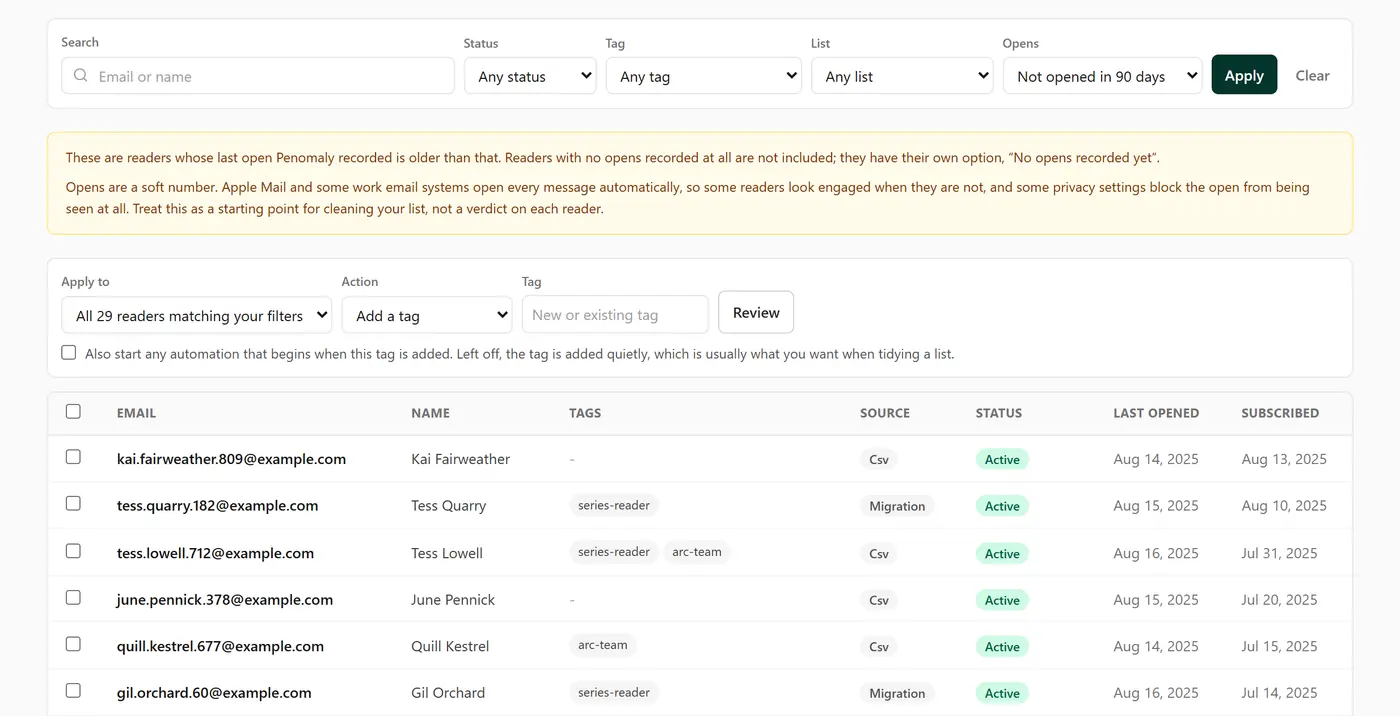
The two kinds do not overlap. A reader with no opens at all never appears under "Not opened in 90 days"; they are only under No opens recorded yet.
What "No opens recorded yet" really means
It does not mean a reader never opens your emails. Penomaly only knows about opens of emails sent through Penomaly, so most readers you imported from another platform start here, because their open history did not come with them. So do new readers you have not emailed yet. Give imported readers a few campaigns before treating this group as cold.
Opens are a soft number
Apple Mail and some work email systems open every message automatically, so some readers look engaged when they are not. Penomaly ignores opens it can tell were made by a machine, but it cannot catch them all. Some privacy settings also block opens from being seen at all, so a reader can read every email and still show no opens.
Treat the Opens filter as a starting point, not a verdict on each reader. Before removing a large group, a good habit is to send them one last "do you still want to hear from me?" email.
Acting on a group
The bar above the table has an Apply to choice. It reads All N readers matching your filters (or on your account with no filters), or switches to your ticked readers if you tick some on the page. Pick an Action, then press Review. Penomaly counts the readers again and shows exactly what will happen before anything changes.
- Add a tag adds a new or existing tag. It does not start automations unless you tick the box that says so; left off, the tag is added quietly.
- Remove a tag takes a tag off everyone in the group who has it.
- Unsubscribe stops all email to them. Each one goes on your suppression list with a note that you unsubscribed them. You can bring a reader back later from their own page with Resubscribe this person. Readers who already unsubscribed, bounced or marked you as spam are left as they were.
- Delete permanently erases the readers: their addresses, names, list memberships, and the record of what you sent them and what they opened. It cannot be undone, by you or by us. Every deleted address stays on your suppression list, so an old spreadsheet import cannot bring them back. A reader can still sign up again through one of your forms. Your campaign totals are not changed.
If you only want to stop emailing someone, Unsubscribe is the safer choice.
Typing the number to confirm
For Unsubscribe and Delete permanently, you type the number of readers before the button unlocks, for example 1,234. It is there so a filter you forgot about cannot surprise you. If the number of matching readers changes before you confirm, nothing happens and you are shown the new count.
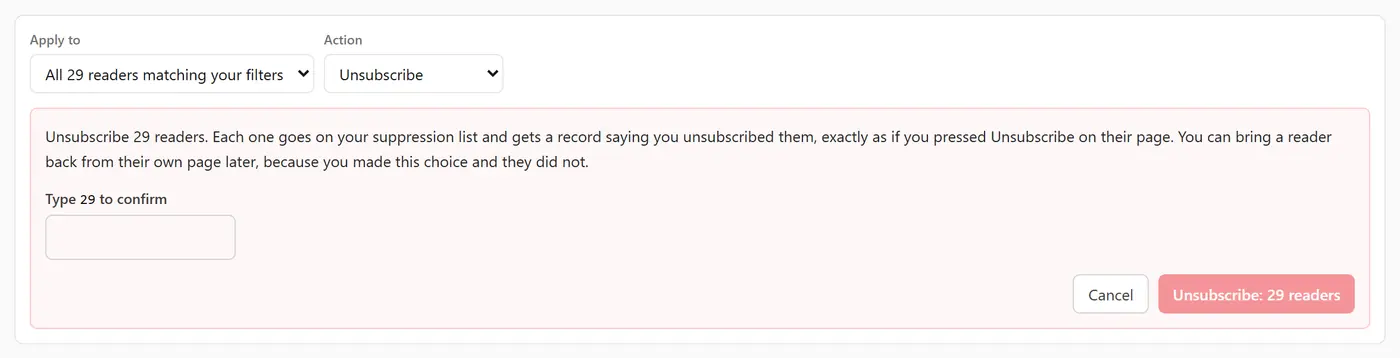
While it runs, a progress bar shows how far it has got. Keep the page open until it finishes. Stop halts it, and readers not yet reached are left alone.
Exporting first
Export CSV downloads every reader matching your current filters, across all pages, including the Opens filter. It is worth keeping a copy before a big clean. The file holds email, names, status, source, tags, country, total opens and clicks, signup and unsubscribe dates, and your custom fields.
A note on old history
Penomaly keeps each reader's individual opens for 12 months. A reader's Last opened date is kept on their record, so the Opens filter is not affected. See What happens after 12 months.