Mentions: other books in a row
The Mentions block puts one, two or three book covers side by side in a campaign, each one a link to where readers can buy it. Use it for a "you might also like" section, a swap partner's book, or a few of your own titles together.
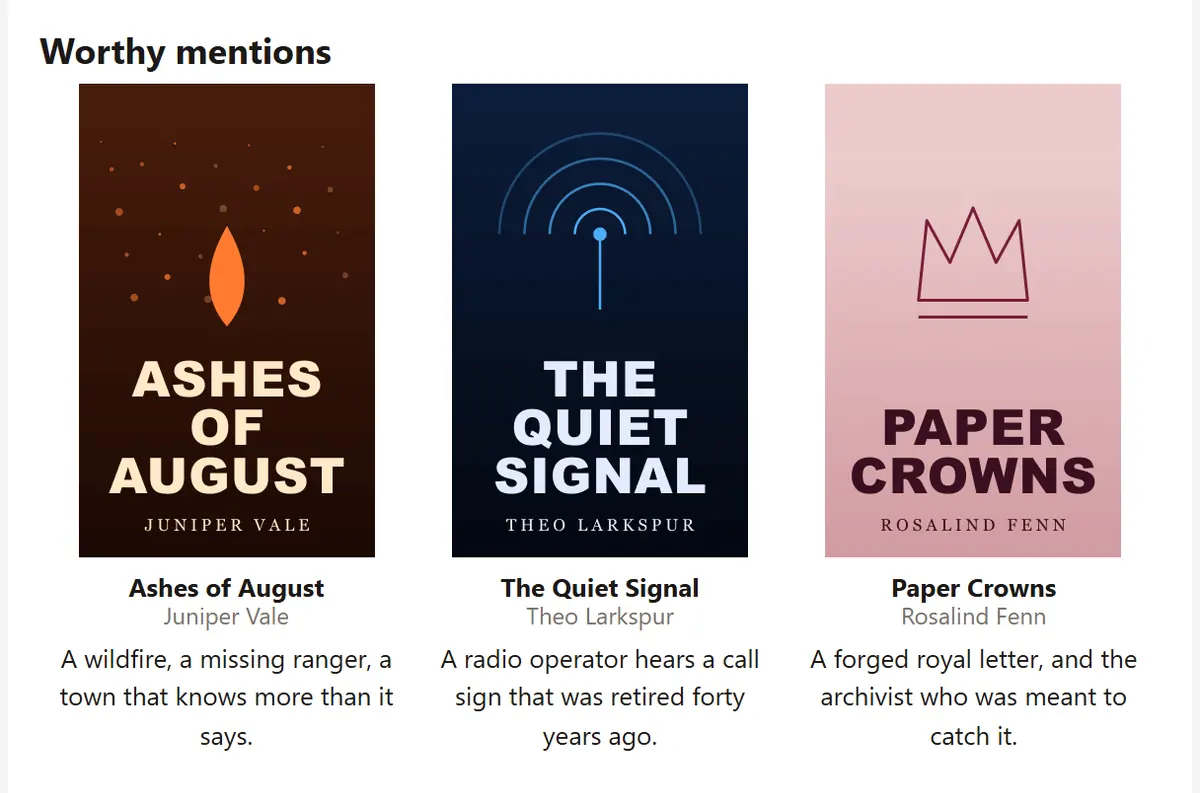
Adding books
Click Add a book for each cover. Every book can come from one of two places:
- One of mine picks a book from your library. The cover and the buy link come from the library, using the first buy link the book has, so if you update the cover there, the campaign follows.
- Someone else's lets you upload a cover, paste a Buy link, and write an Image description. The description is what readers see if their email hides images, so make it say something, such as the title and author.
A book with no cover or no link is left out of the email rather than shown broken.
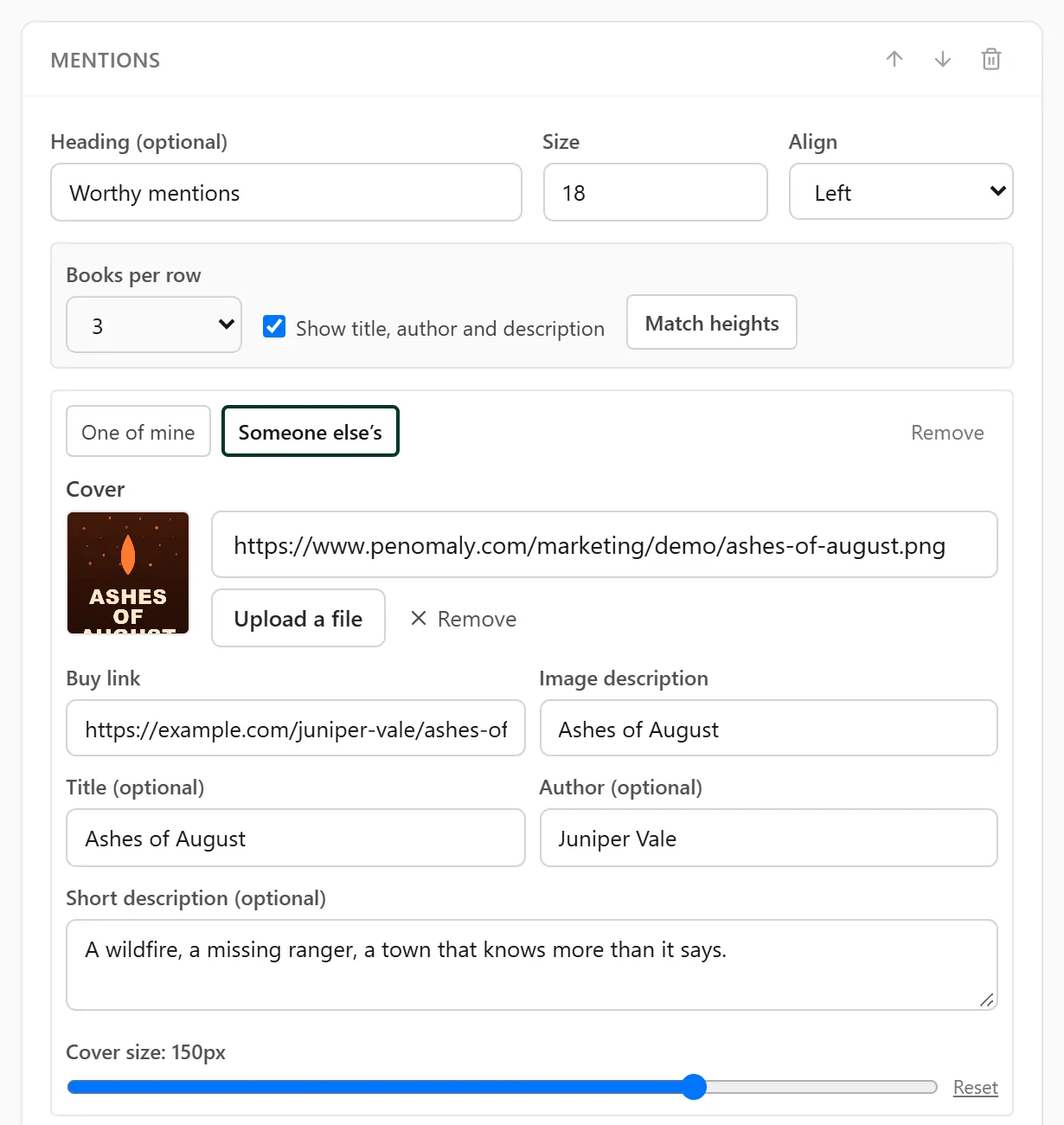
Title, author and a short description
Under each cover you can add a Title, an Author and a Short description of up to 400 characters. All three are optional. For one of your own books the title defaults to the book's title, and you can type a different one here without changing your library.
The title is a link to the same place as the cover, because in a narrow column the title is often easier to tap.
Covers only
Untick Show title, author and description to show just the covers. Useful when the covers speak for themselves or the row is tight on space. Anything you typed is kept, so ticking it again brings it all back.
How many per row
Books per row sets 1, 2 or 3. Left on Automatic, the row holds as many books as you have added, up to three, and a fourth starts a new row.
On a phone the covers stack one above another, so each one stays big enough to see.
Cover size
Each book has its own Cover size slider. Left alone it reads (automatic): the cover fills its column, and with one book per row it shows at a book-like 220 pixels wide rather than stretching across the whole email. Reset puts a cover back to automatic.
The largest a cover can go depends on how many share the row: 400 pixels for one, 280 for two, 184 for three.
Match heights
Covers come in different shapes, and a row where one is taller than the others looks untidy. Press Match heights and Penomaly looks at the real shape of each cover and sets their sizes so they all come out the same height. You can still nudge any cover with its slider afterwards.
It works by setting widths, never heights, because a fixed height on an image stretches it in some versions of Outlook.