When a reader pauses your emails
Some readers do not want to leave, they just want a break. Penomaly lets a reader pause your emails for 30, 60 or 90 days instead of unsubscribing. They stay on your list, and your emails start reaching them again on their own when the pause ends.
How a reader pauses
Every email you send has an unsubscribe link at the bottom. Clicking it unsubscribes the reader straight away, with nothing in the way, because the law and the mailbox providers require leaving to take one click. The page they land on then says they are unsubscribed and offers a second choice:
- Pause for 30 days, Pause for 60 days or Pause for 90 days. This puts them back on your list with nothing sent until the date.
- Unsubscribed by mistake? This puts them back with no pause.
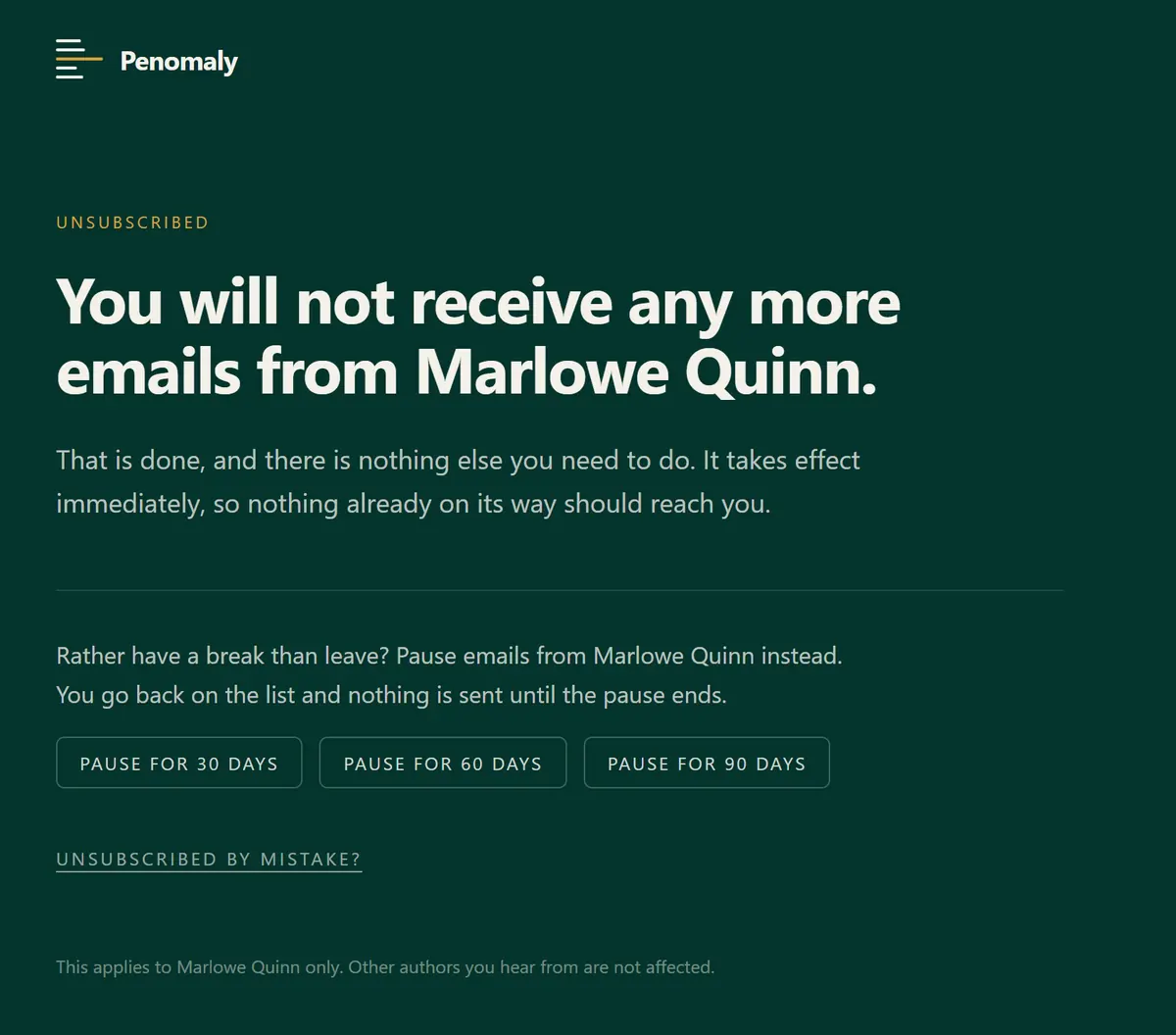
The one-click unsubscribe button that Gmail, Yahoo and Outlook show beside your name is unchanged. It unsubscribes the reader at once and shows them no page, so it offers no pause.
A paused reader can come back to the same page and choose Start my emails again now, or Unsubscribe instead.
What a pause does
While a reader is paused:
- Campaigns skip them. A newsletter sent during the pause does not reach them, and it is not saved up for later.
- Automation emails are skipped too. The reader still moves through the automation on time, so tags, waits and the steps after an email all still happen; only the emails themselves are not sent. When the pause ends they do not get a pile of the emails they missed.
- Emails they asked for, such as the link to confirm their signup, still go.
When the date passes, nothing needs to happen. The next campaign includes them again.
What you will see
- On Subscribers, the reader shows as Active with Paused until and the date beside it.
- On the reader's own page, a box says they are paused until that date.
- In the Export, a paused_until column holds the date for readers who are paused now, and is empty for everyone else.

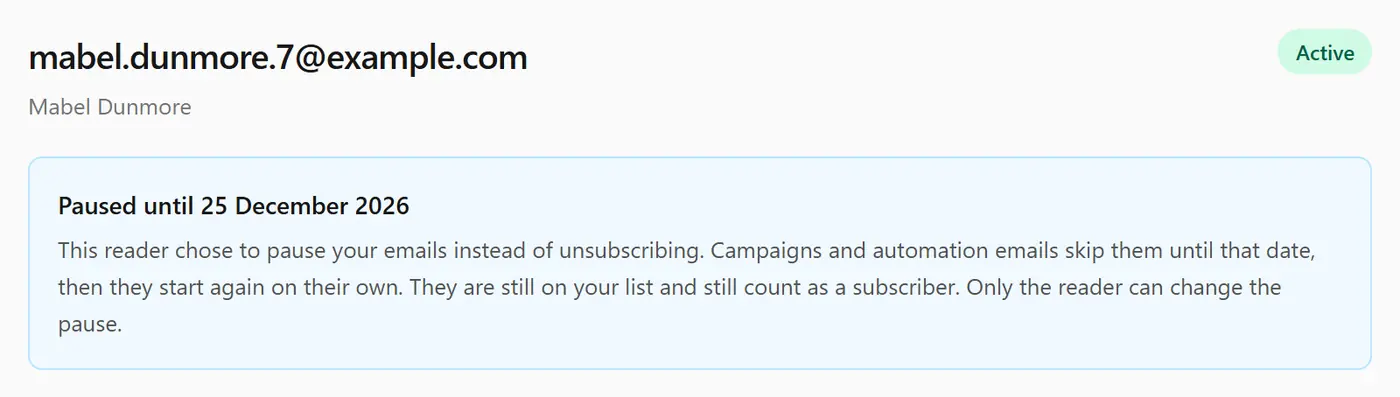
A paused reader is still a subscriber. They are still on your lists and still count toward your subscriber total and your plan.
What you cannot do
You cannot pause a reader, and you cannot end or change a reader's pause. Only the reader can, from the links in their own emails. A pause is their choice about their inbox, in the same way an unsubscribe is.
One thing to know
A pause takes effect for anything sent after it. If a campaign was already going out when the reader paused, the copy already on its way to them can still arrive.